Month-end close drags on for days when Controllers export HubSpot Closed-Won CSVs and QuickBooks Invoice CSVs only to discover renamed companies, unbilled verbal add-ons, currency mismatches, and split deposits. Follow this 5-step 30-minute close checklist using a live 1:1 Reconciliation Grid to isolate true dollar variances, bill missed Closed-Won deals in one click, update ASC 606 deferred schedules, and hand a signed read-only link to your external CPA.
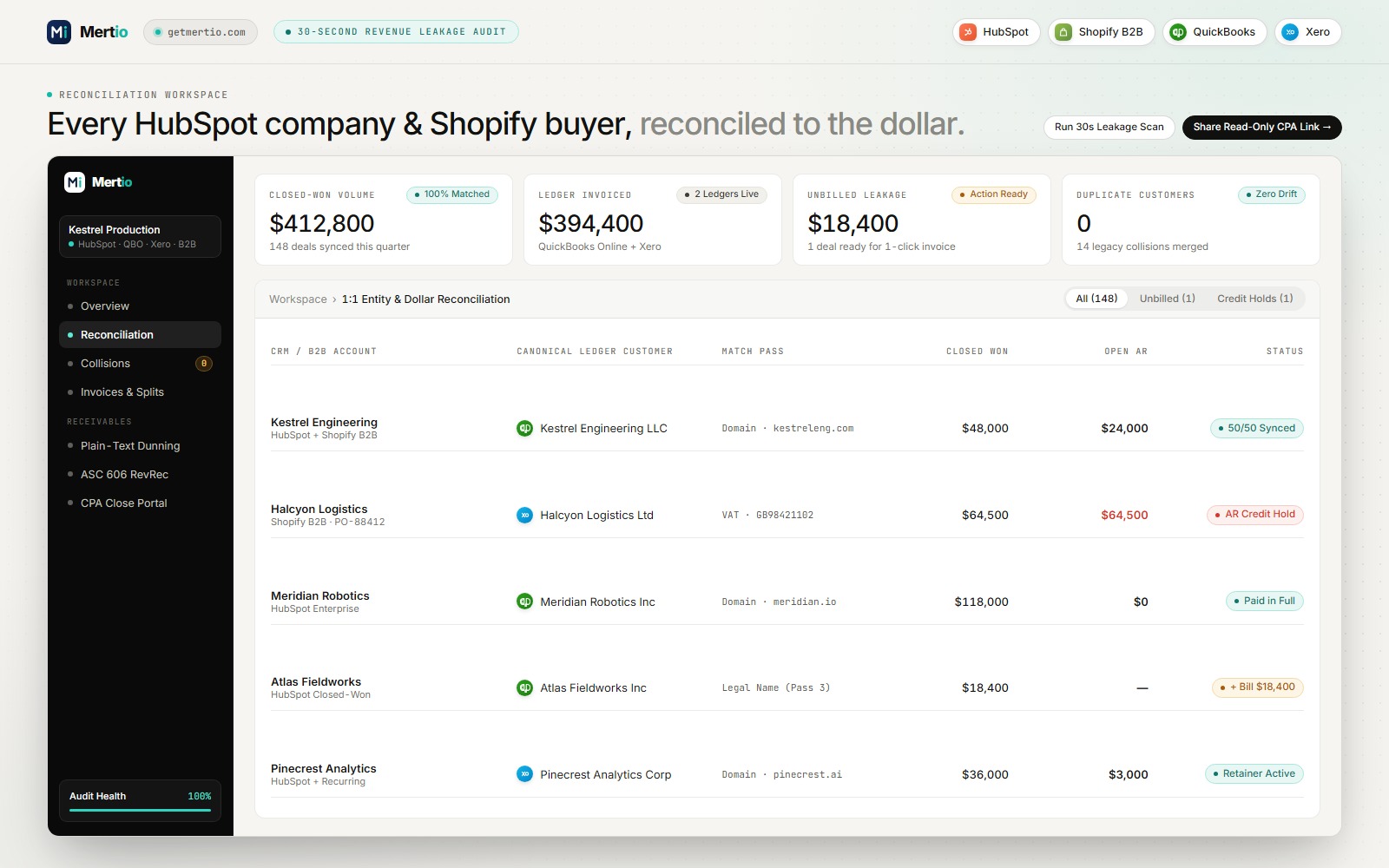
How it works in practice
Step 1 (Min 0–5): Run Incremental Sync & Entity Collision Check
Pull all Closed-Won deals through the final day of the period and resolve any quarantined new-logo company matches in the Reconciliation Grid.
Step 2 (Min 5–12): Filter by Unbilled Closed-Won Deals
Sort the Reconciliation Grid by Variance > $0 with Invoice Count = 0. Convert any legitimately closed deals that never got invoiced in one click.
Step 3 (Min 12–20): Audit Partial Variances (Discounts, Tax & Staged Splits)
Inspect deals where HubSpot Amount differs from Ledger Billed Subtotal—distinguishing sales tax/VAT pass-throughs and pending Stage 2 milestones from true billing errors.
Step 4 (Min 20–25): Lock ASC 606 Earned vs. Deferred Cutoffs
Verify subscription start dates in RevRec Schedules so deferred revenue journal entries tie out to the penny.
Step 5 (Min 25–30): Mint Signed CPA Close Link
Generate a read-only 30-day CPA link in Settings and drop it into your month-end close folder—done.
Side-by-side breakdown
| Variance Pattern | Typical Root Cause | Spreadsheet Time | Mertio Resolution |
|---|---|---|---|
| HubSpot $18,000 / Ledger $0 | Deal moved to Closed Won without alerting Finance | 45 mins hunting emails | Highlighted red as Unbilled; 1-click Create Invoice |
| HubSpot $10,000 / Ledger $10,825 | 8.25% state sales tax included on QBO total | 20 mins per invoice | Compares pre-tax subtotal cleanly against Deal Amount |
| HubSpot $30,000 / Ledger $15,000 | 50/50 staged split with Stage 2 due next month | 30 mins checking SOW PDF | Recognized natively as Stage 1 of 2 Scheduled |
| Company missing on VLOOKUP | HubSpot "Kestrel AI" vs QBO "Kestrel Labs Inc." | 15 mins manual search | Resolved once via domain kestrel.ai; stays linked forever |
Why VLOOKUPs Between HubSpot Exports and QuickBooks Transaction Lists Always Break
HubSpot deals live in sales-pipeline time (Close Date, TCV, ACV), while QuickBooks and Xero live in tax-inclusive invoice time (TxnDate, DueDate, Subtotal + Tax, Credit Memos). Comparing `deal.amount` to `invoice.TotalAmt` in Excel creates dozens of false-positive variances on every taxed or milestone-billed contract.
By maintaining persistent foreign-key bindings (`dealId` ↔ `Invoice.Id[]` and `companyId` ↔ `Customer.Id`) and comparing pre-tax line subtotals alongside scheduled milestones, Mertio surfaces only real exceptions that require human judgment.
What finance will ask
Can I reconcile historical deals before connecting Mertio?
Yes! If you want to audit two CSV exports right now before connecting OAuth, open getmertio.com/tools to run our free browser-side CSV Reconciler with zero signup.
Does closing a month in QuickBooks prevent Mertio from overwriting closed books?
Yes. Mertio respects QuickBooks Books Closed dates and Xero Lock Dates—if an automation attempts to write into a locked accounting period, Mertio surfaces a clean controller warning instead of corrupting prior-period financials.